Standardize end-of-shift reporting across every department. Catch issues before they escalate. Keep leadership informed. Operators report right from Outlook.
Fills out right inside Outlook. No separate app required.
Every manufacturing team runs into the same three walls. These aren't edge cases. They're the default when shift handoffs are informal.
The outgoing operator says it. The incoming operator hears something different. By the time management finds out, the shift is two days in the past. Critical information disappears between shifts.
Assembly uses a Word doc. Maintenance texts a group chat. Quality fills out a paper form. Every department has its own system, or no system at all. Comparing data across shifts is nearly impossible.
Managers and plant directors don't know what happened on the floor until it becomes a problem. By then, it's a firefight instead of a 5-minute read at 8am. Reactive instead of informed.
The entire workflow happens inside tools your team already uses. No training required. No new logins to manage.
End-of-shift form appears in the Outlook sidebar. Operators fill it out, submit, and get back to their day. No separate app, no new password. It's right where they already are.
A dashboard shows all submitted reports from every department. Admins approve reports, send them back for edits, or add supervisor notes. Nothing goes to leadership without review.
A curated email summary goes out automatically at shift close. Every shift. Every department. One clean report that leadership actually reads, instead of tracking down status in Slack.
Purpose-built for the floor. Not a generic form tool bolted onto a chat app.
Drag-and-drop template builder with 20 field types including text, number, dropdown, checkboxes, and hourly grids. Each department gets exactly the form they need.
Reports go through admin review before summaries go out. Admins can approve, request edits, or add notes. Leadership only sees clean, reviewed data.
Open issues persist across shifts automatically. If an operator flags a maintenance problem on the day shift, the night shift sees it immediately. No one has to remember to mention it.
Production data entry by the hour with auto-calculated totals and shift targets. See which hour went sideways, not just the end-of-day total.
Operators fill out reports right inside their email client. No separate app to install, no training required. If they can send an email, they can submit a shift report.
Branded shift summary emails sent to the right distribution list at shift close. Leadership gets a concise, readable report covering every department. Formatted, not a wall of raw text.
Real screenshots from the live product. The dashboard your supervisors check, the templates your admins build, the board you mount on the wall.
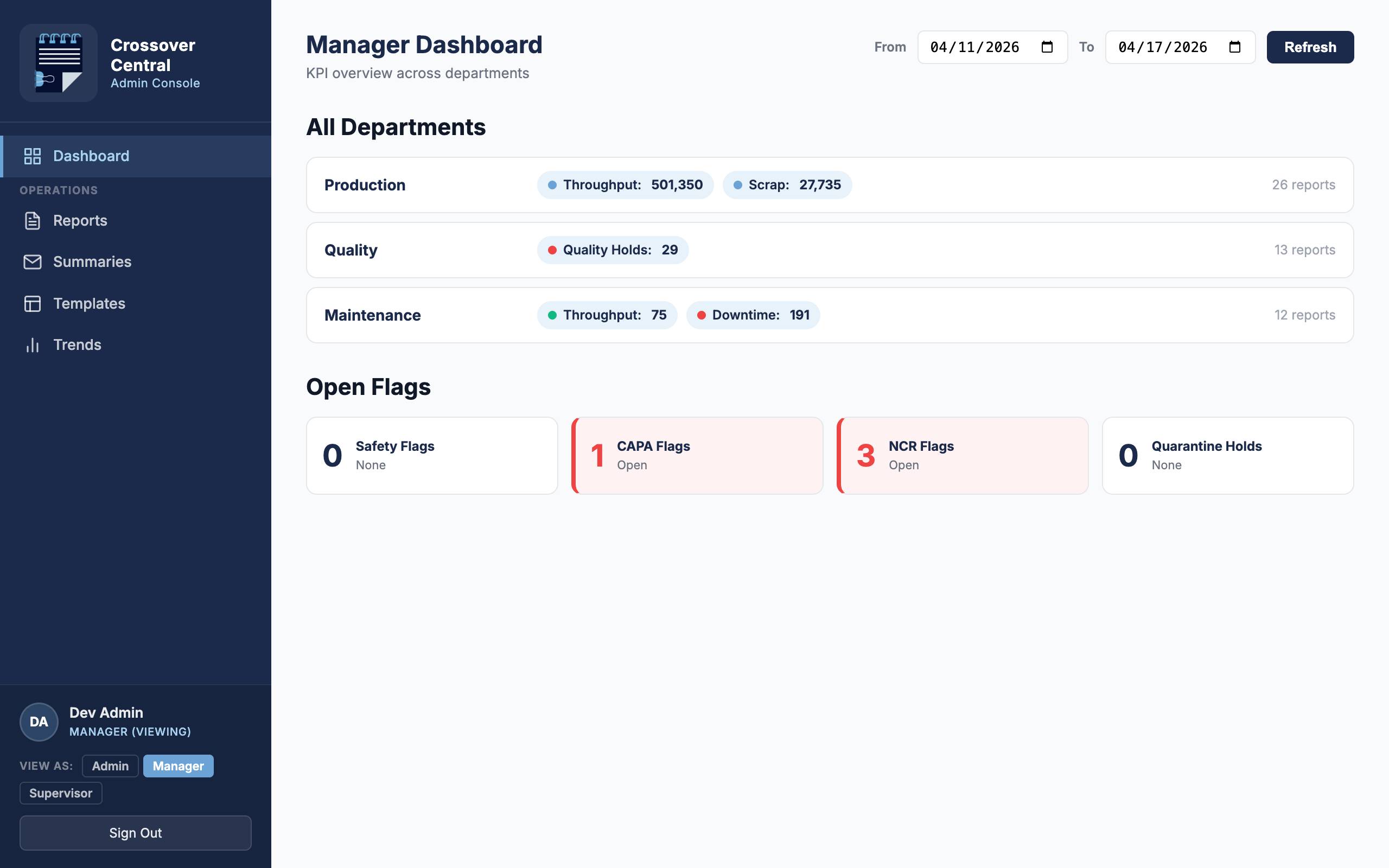
Throughput, scrap, downtime, quality holds — side by side per department. Open CAPA / NCR flags surface in red so leadership can't miss them.
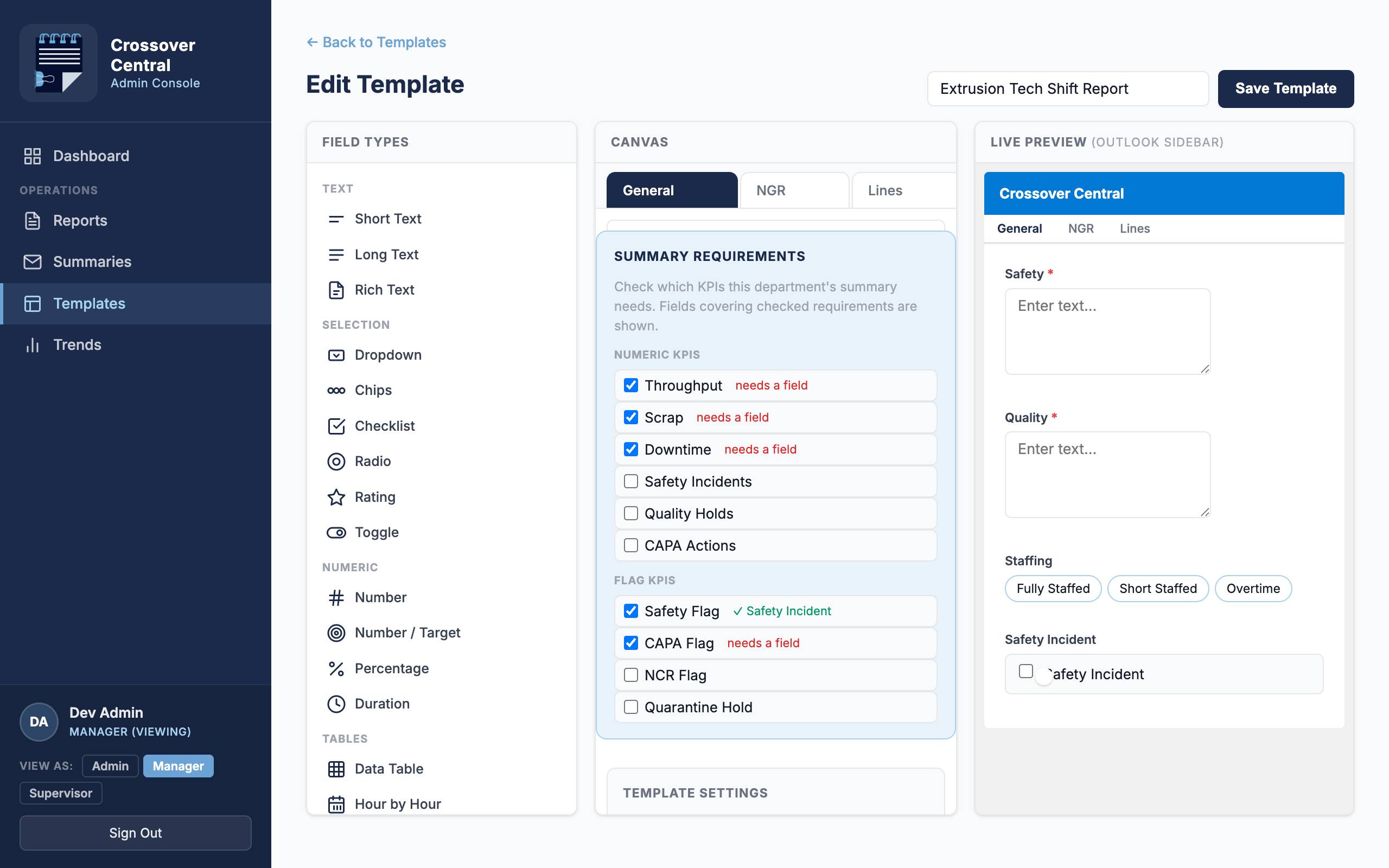
Field palette on the left, drag-and-drop canvas in the middle, live Outlook sidebar preview on the right. Tabs, repeating groups, KPI tagging, summary requirements — all visible while you build.
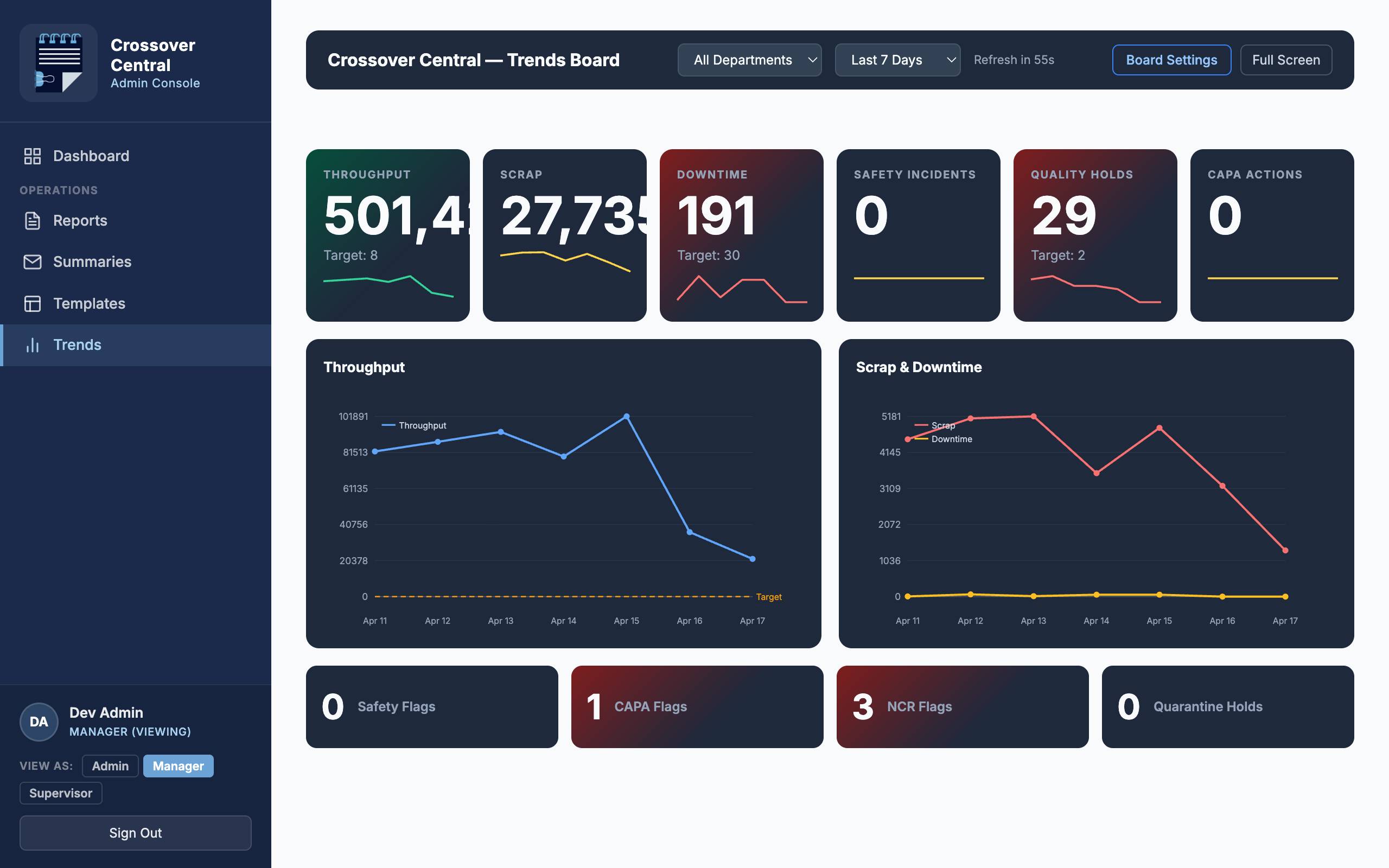
KPI tiles with sparklines and rolling targets. Throughput vs. goal, scrap and downtime trends, open flag counters. Auto-refreshes; no sign-in required for the screen.
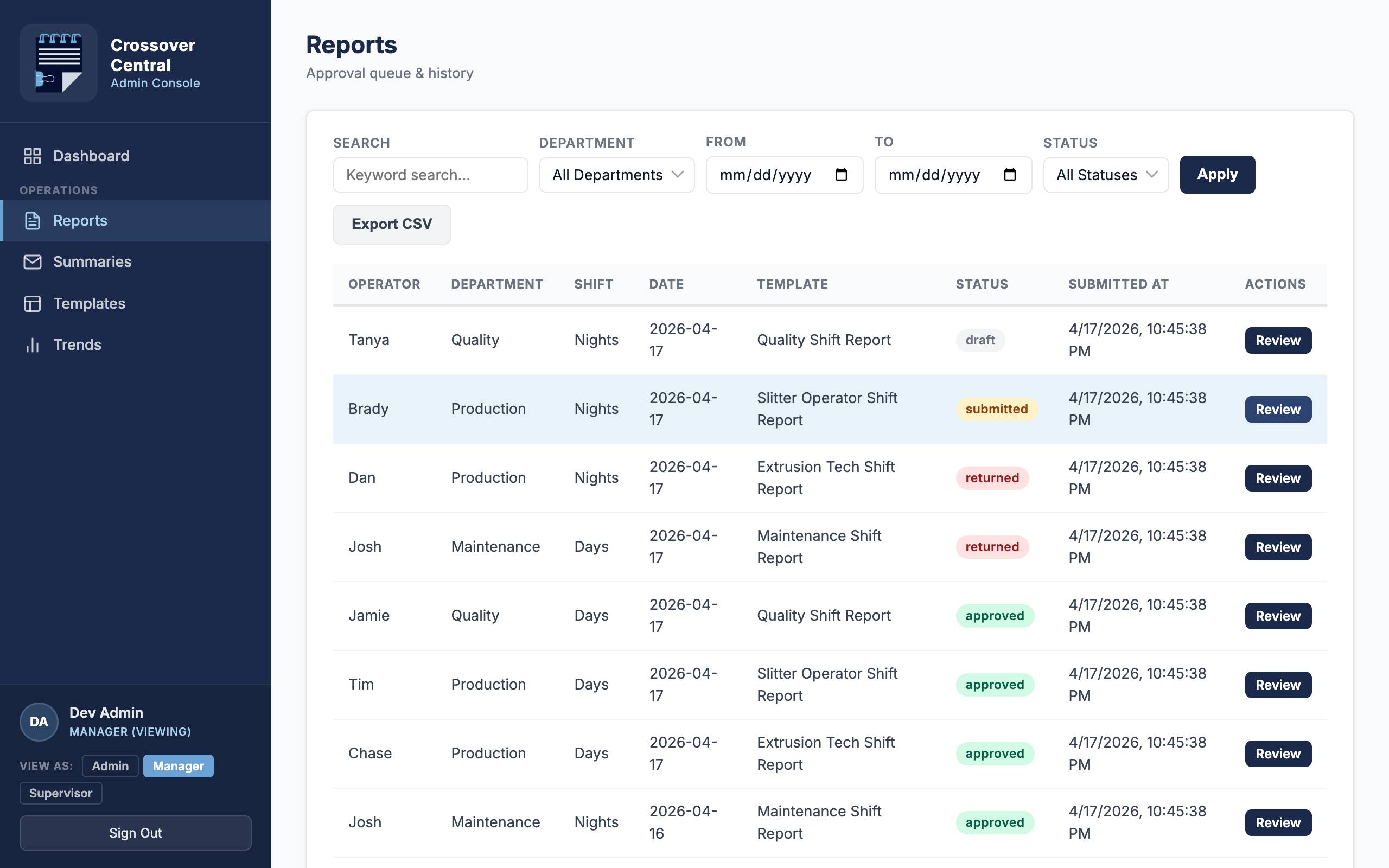
Search, filter, export to CSV. One click to review each submission with full edit history. Approve, return with a comment, or batch by shift transition.
One plan, every feature, unlimited users. No per-seat fees, no surprises.
Everything your facility needs to run standardized, accountable shift handoffs.
Multi-facility operations get per-facility volume pricing tailored to your footprint.
All plans include a 14-day free trial. No credit card required. Unlimited users included.
Designed around how shifts actually run, not how they look on paper.
Designed from real shift handoff workflows, not a generic form tool. Every feature exists because a manufacturing team needed it.
No new software stack to approve. Crossover Central is a Microsoft AppSource add-in that drops into your existing Microsoft 365 environment. IT doesn't have to stand up anything new.
Shift data lives in your Microsoft 365 tenant. Your production data, issue logs, and records stay where your IT team can see and control them.
From AppSource install to first submitted report in under an hour. Templates are pre-built for common manufacturing departments. Customize them later.
Standardize your shift handoffs, catch problems earlier, and keep leadership informed. No extra overhead for operators.